
Netflix becomes your language tutor.
Watch the shows you love and improve without even noticing. Dual subtitles, one-click translation, vocabulary that sticks. No boring lessons.
Streal runs on a computer. It's a Chrome extension, so it can't be installed from a phone. Leave your email and we'll send you the link for later.
Free to start · On Netflix today — Prime Video and Disney+ coming soon
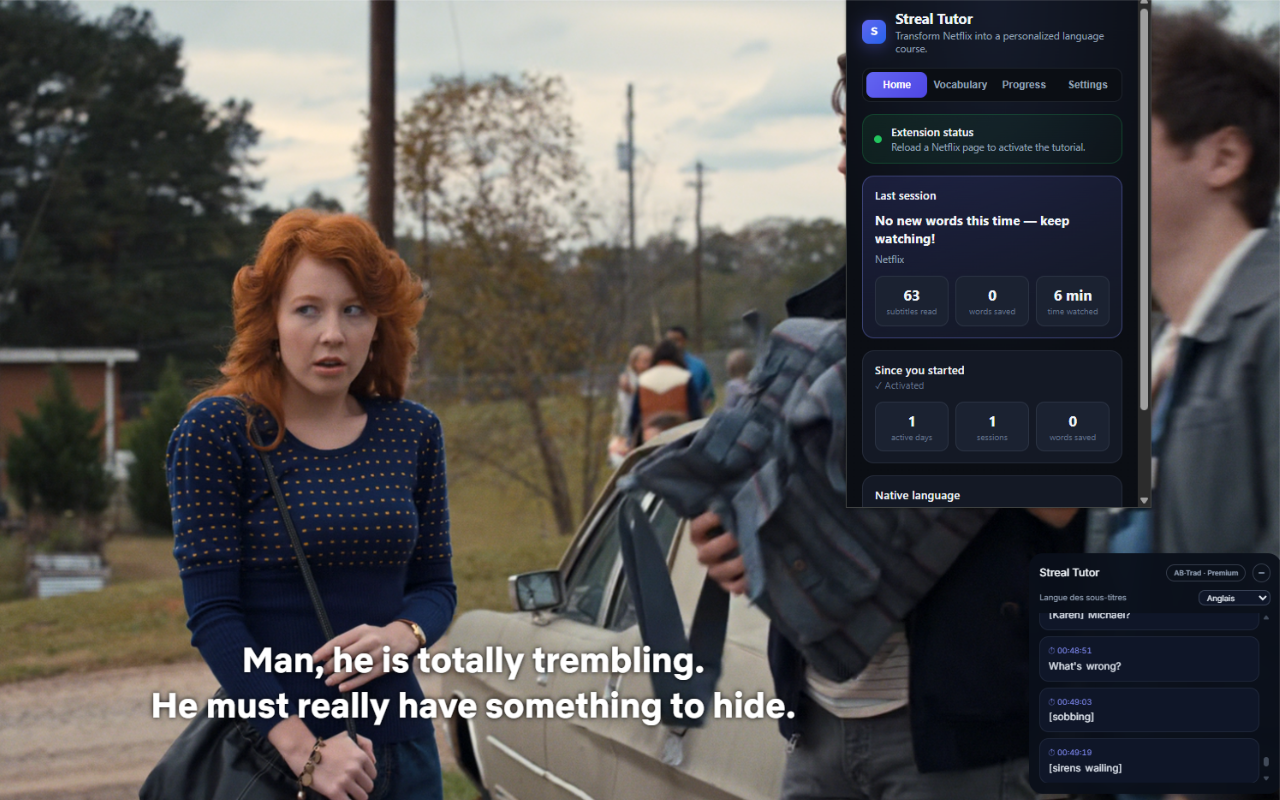
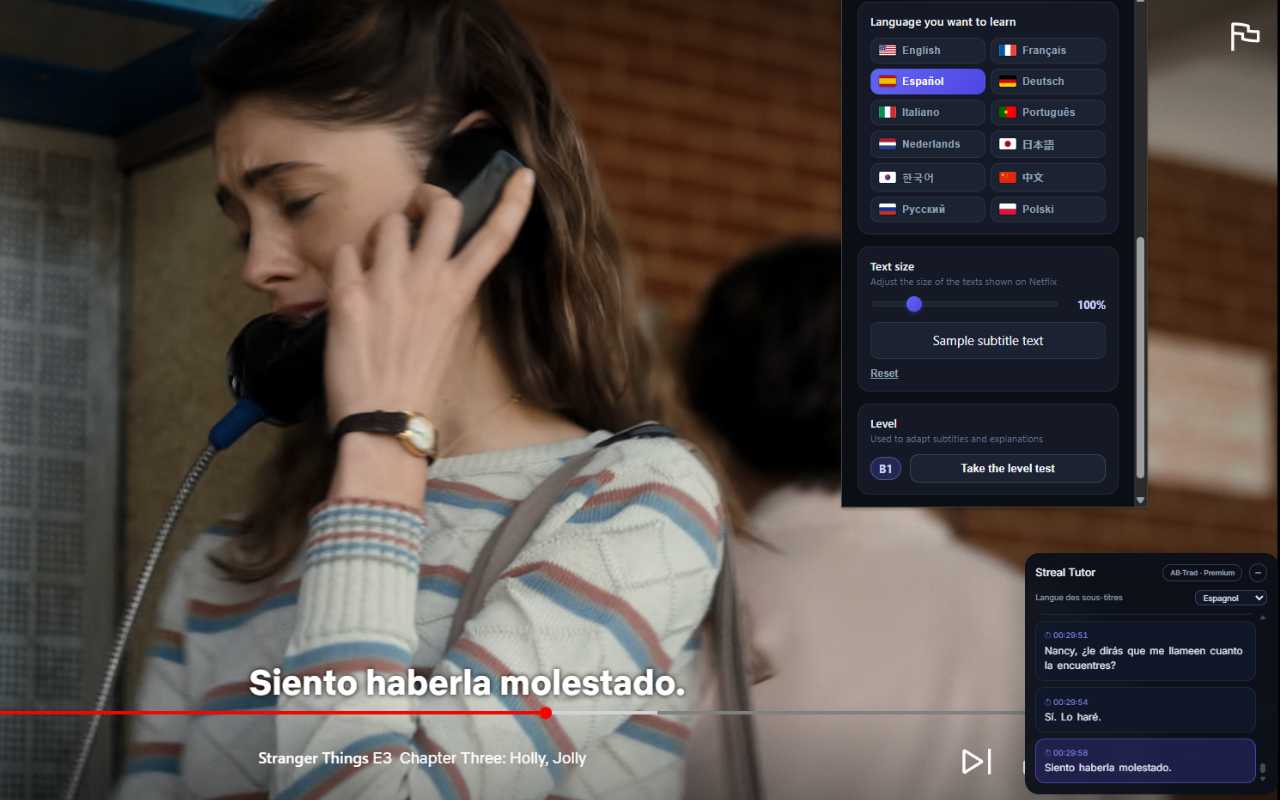
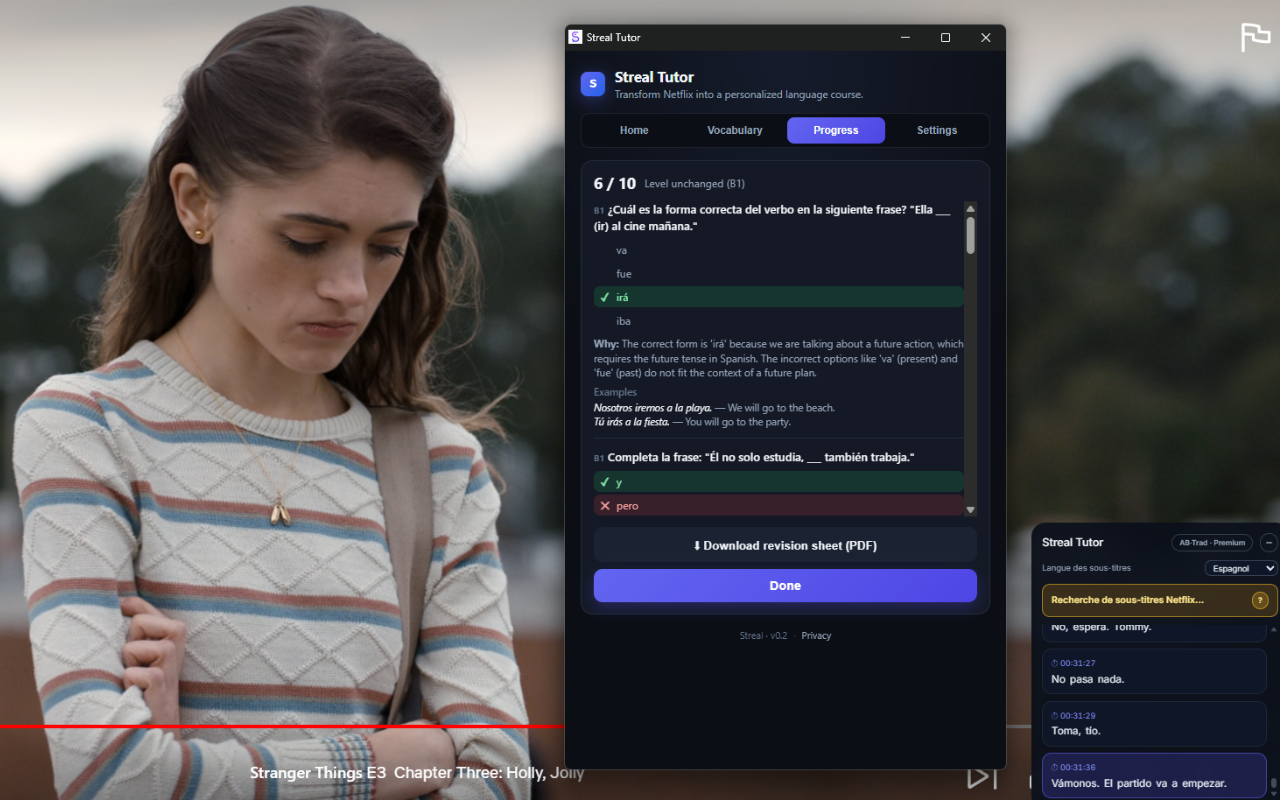
Learning has never been this simple
No complicated setup. Press play and Streal does the rest.
Press play
Open any film or series on Netflix (Prime Video and Disney+ soon). Streal appears discreetly.
Understand every line in context
Click any word for more than a translation: a clear explanation inside its sentence, plus the grammar rule behind it, so you can reuse it everywhere.
Turn each film into a mini-lesson
At the end, take a quiz built from the film's own dialogue — a real mini-lesson. Your words and progress are saved, and you can jump back to any exact scene.
Everything you need to actually learn
Built to stay smooth, like Netflix — not like yet another translation tool.
A mini-course for every film
Each film and series comes with a ready-made mini-course: its key vocabulary, useful sentences and the concepts it covers, so you know exactly what you'll learn before you press play. Free for everyone.
Explanations in context
Click a word for a real explanation in its sentence — meaning, nuance and the grammar rule behind it — not a translation stripped of all meaning.
Contextual quizzes
Short quizzes built from the words and sentences you actually saw, so what you learn really sticks.
Jump back to the scene
One click on a word takes you back to the exact second it was spoken.
Automatic vocabulary
Every saved word keeps its sentence, its translation and the exact moment in the film.
Dual subtitles
The language you're learning and its translation, shown together, continuously.
Motivating progress
Levels, ranks and end-of-film reviews to see your progress in black and white.
Your data follows you
Sign in and find your vocabulary and progress on all your devices.
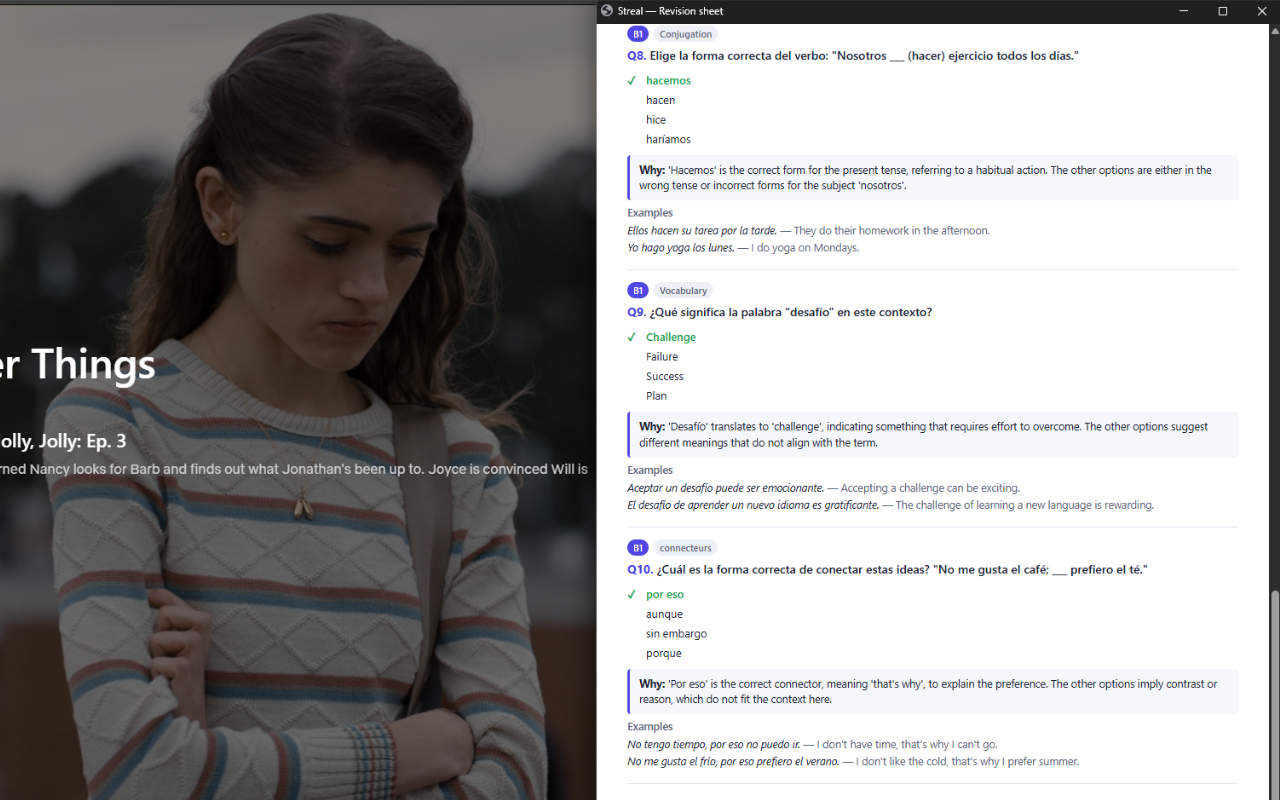
Downloadable PDF sheets
Get a clean PDF recap for each film or series: its vocabulary, translations and key sentences to review anywhere.
A PDF sheet for every film and series
When you finish watching, download a ready-to-review sheet with all the words you saved, their translations and the sentences they came from. Perfect to revise offline or print.
Start for free
Try the product without paying — and get 14 days of Premium free before you decide.
Free
- A ready-made mini-course for every film
- Subtitles shown while you watch
- In-context word explanations, one click away
- Up to 10 saved words per month
- Up to 2 end-of-film quizzes per month
Premium
- Continuous translated dual subtitles
- In-context explanations with the grammar rule behind each word
- Unlimited saved vocabulary
- Unlimited end-of-film quizzes
- Everything in Free, mini-courses included
Install the extension and sign in — your trial starts in one click.
Streal installs on a computer. We'll email you the link.
Frequently asked questions
Which platforms does it work on?
Netflix today. Prime Video and Disney+ support is coming soon.
Does it work with every film?
Streal reads the subtitles shown on screen. As soon as a film offers subtitles in the language you're learning, it works.
Do I need an account?
Not to try it. An account (Google sign-in) only syncs your vocabulary and progress across your devices.
Which languages are available?
French and English today; Spanish and more are coming.
Do you store Netflix videos?
Never. Streal only works with the text of the subtitles shown on screen. No video is stored or redistributed.
How does the free trial work?
New members get 14 days of Premium free. A card is required to start, and you can cancel anytime during the trial — you're only charged if you keep it past day 14.
How do I cancel Premium?
In one click from the extension, via the secure management area. No long-term commitment.